mParivahan App – Download, Login, Virtual RC, DL & Challan Check
mParivahan is India's official mobile app developed by NIC, connected with the Parivahan transport system. It helps you view verified vehicle information, store a Virtual RC, access your Virtual Driving Licence, and check traffic challan details directly on your phone.
The app is widely used across India to reduce RTO visits and keep important transport documents available digitally for quick verification.
Important: This is an independent information website. We do not collect personal data. We only guide users to official mParivahan and Parivahan services.
About mParivahan
- Download mParivahan App (Android / iOS)
- mParivahan Login (OTP + MPIN)
- Add Virtual RC & Check RC Status
- Add Virtual DL & View Licence Details
- Challan Check & Fine Status
What is mParivahan?
mParivahan is an official mobile application developed by NIC (National Informatics Centre) for Indian citizens to access verified transport information digitally. It is connected with the Government of India's Parivahan ecosystem and works as a digital gateway for vehicle and driving licence records.
In simple words, mParivahan helps you:
- Check vehicle details using your registration number
- Store and carry a Virtual RC on mobile
- Add and access your Virtual Driving Licence (DL)
- View challan details and traffic fine information
- Verify documents quickly using QR-based validation
Unlike normal vehicle information apps, mParivahan fetches data from official transport databases, which is why it is widely accepted for roadside verification.
Is mParivahan Official or Private?
Yes, mParivahan is an official app and is linked with the government transport system. It is developed and maintained under the Parivahan framework and is supported by NIC.
However, it is important to understand one thing:
- mParivahan is an official app
- Our website is not official — we only provide information and guidance
- This keeps your website safe and trustworthy.
How mParivahan Works (Sarathi, Vahan & eChallan Connection)
mParivahan is connected to the same official systems used for RTO services:
VAHAN
Vahan stores vehicle registration records such as: RC details, Registration validity, Vehicle class, Fuel type, RTO information. That is why mParivahan can show accurate vehicle information.
You can also check RC services here: RC Status → RC Download
Useful pages: Driving Licence Status → Driving Licence Download → DL Slot Booking
eChallan (Traffic Challan System)
The eChallan portal stores: Traffic violations, Challan status, Fine amount, Payment records. That is why mParivahan can show challan details and pending fines.
For complete challan guide: E Challan Check
Why mParivahan is Useful for Vehicle Owners in India
mParivahan is essential because it makes transport services easier and more transparent. Instead of depending on agents or carrying multiple physical documents, you can keep verified digital records on your phone.
It is especially useful for: Daily commuters, Long-distance travellers, Bike and car owners, Commercial drivers, People who want quick access to RC and DL details.
mParivahan App Download (Android & iOS)
If you want to use mParivahan services like Virtual RC, Virtual DL, vehicle details, and challan check, the first step is to install the official app on your phone. mParivahan is available for both: Android devices (Google Play Store), iPhone/iPad (Apple App Store).
mParivahan App Download for Android (Google Play Store)
- Open Google Play Store
- Type mParivahan in the search bar
- Look for the official app named "mParivahan – Vehicle Information"
- Confirm the developer/publisher is: NIC eGov Mobile Apps
- Tap Install
- Open the app after installation
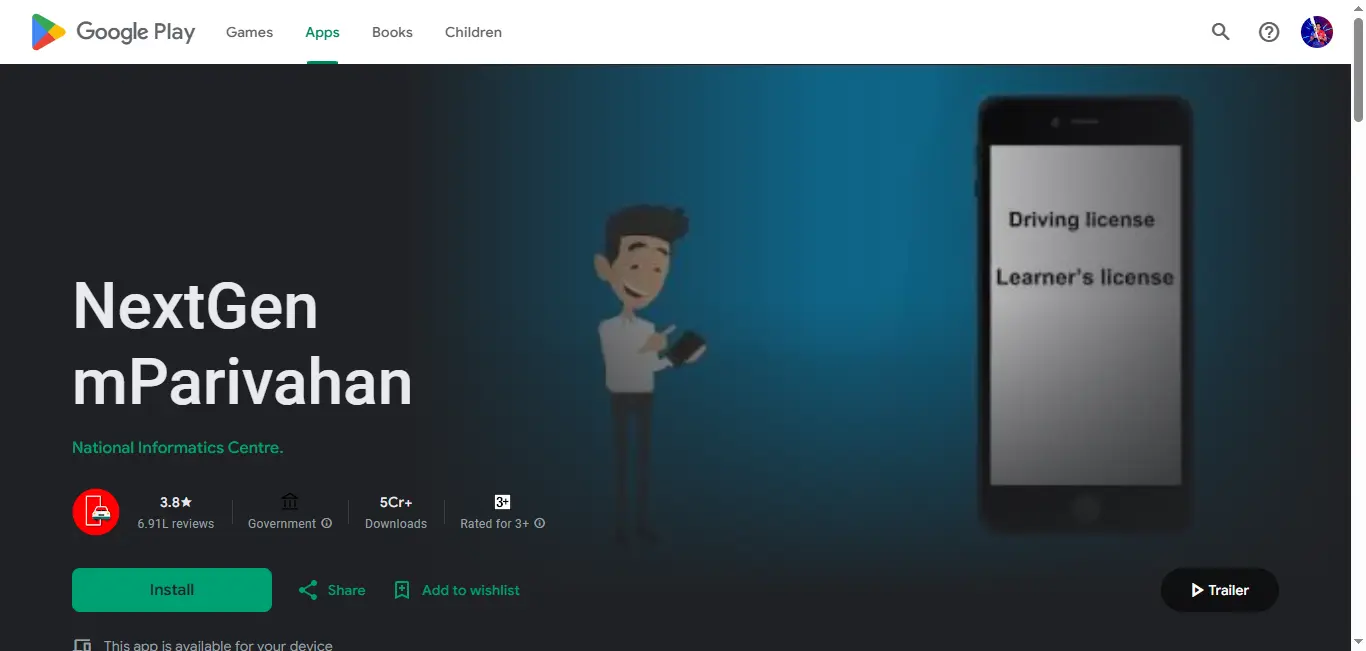
Tip: If you see apps with similar names but a different developer, avoid them. Always choose the NIC version.
mParivahan App Download for iPhone (Apple App Store)
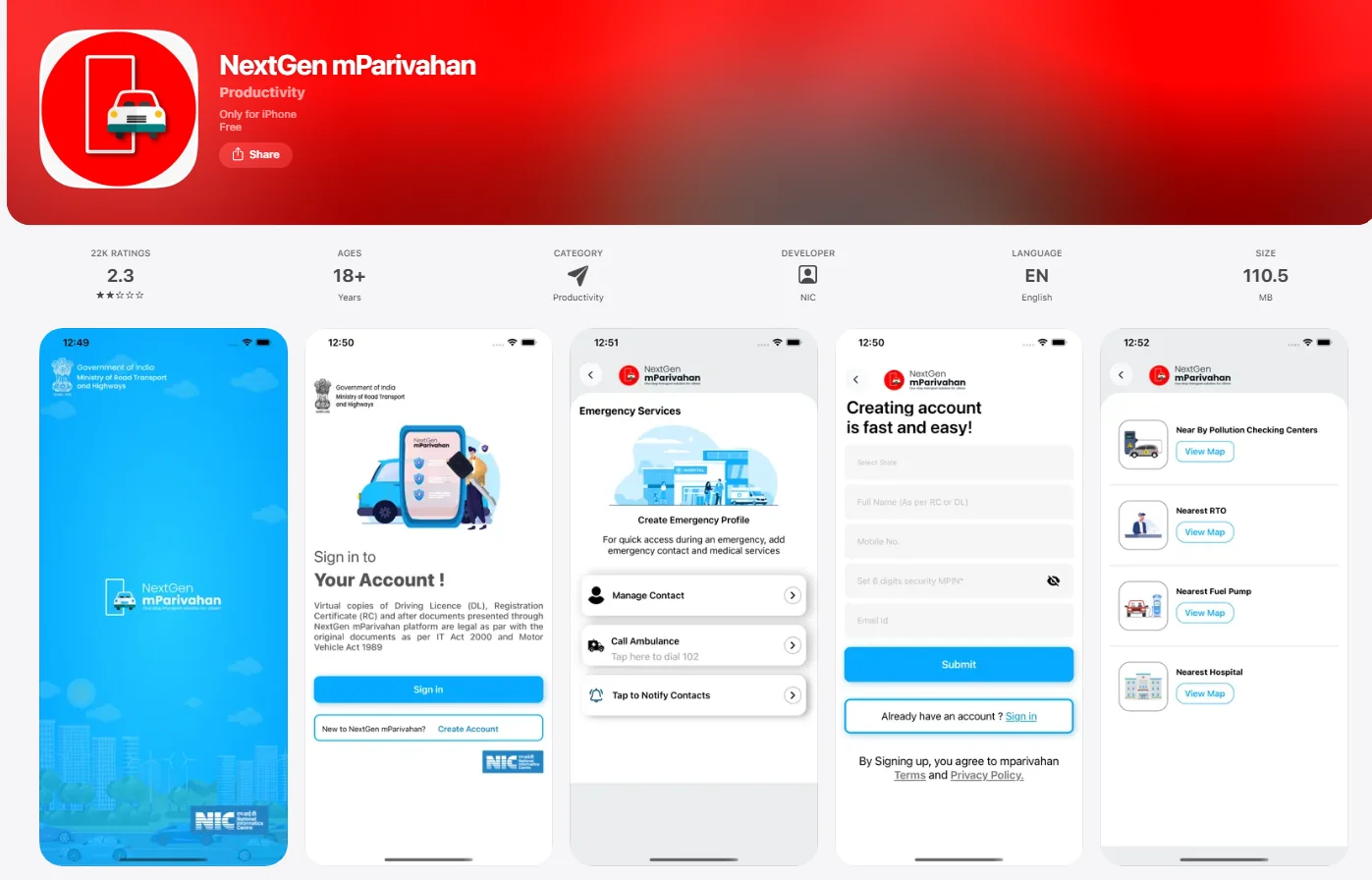
- Open the Apple App Store
- Search mParivahan
- Select the official app (NIC / Government linked)
- Tap Get
- Install and open the app
Why Users Face Download Issues (Common Reasons)
Sometimes users search "mParivahan app download not working" or face issues like app not installing. Common reasons: Low storage space, Older Android/iOS version, Weak internet connection, Play Store/App Store issue. Fix: Clear storage, Update your phone, Retry using Wi-Fi, Restart phone.
mParivahan Login (OTP + MPIN Guide)
mParivahan login is based on your mobile number and OTP verification. Once you verify OTP, you can set an MPIN for quick login.
Steps for mParivahan Login
- Open the mParivahan app
- Enter your 10-digit mobile number
- Tap Get OTP
- Enter the OTP received via SMS
- Create a 4-digit MPIN
- Confirm MPIN
- Login successfully
After this, next time you can login using MPIN directly.
What is MPIN in mParivahan?
MPIN is a 4-digit security PIN that helps you login faster without OTP every time. It works like a quick password for the app.
Forgot MPIN? (How to Reset mParivahan Login)
Open the app → Tap Forgot MPIN → Enter your registered mobile number → Verify OTP → Set a new MPIN.
OTP Not Coming in mParivahan Login (Fix)
Try: Wait 2–3 minutes and retry, Switch airplane mode ON/OFF, Check SMS inbox storage, Ensure your SIM has network, Try during non-peak hours.
Can You Use mParivahan Without Login?
Some basic information may be visible without login, but most important features like Virtual RC, Virtual DL, Adding multiple vehicles, Challan history usually require login.
Is mParivahan Safe to Use?
Yes. It is developed by NIC, login is OTP-based, and data comes from official Parivahan databases. Still, avoid sharing OTP, avoid installing fake apps, and use official Play Store/App Store links.
mParivahan Vehicle Details, Vehicle Search & Virtual RC (Full Guide)
One of the biggest reasons people use mParivahan is to check verified vehicle details using the registration number. The app pulls information from the official VAHAN database.
What Vehicle Details Does mParivahan Show?
When you add a vehicle in the app, mParivahan can show important details such as:
- Vehicle Registration Number
- Owner Name (sometimes partially hidden for privacy)
- Vehicle Make / Model
- Fuel Type (Petrol/Diesel/CNG/Electric)
- Vehicle Class (LMV, MCWG, etc.)
- Registration Date
- RC Validity / Expiry
- RTO Name and Code
- Chassis Number (masked)
- Engine Number (masked)
- Insurance details (in some cases)
- PUC details (limited availability)
If you want deeper verification beyond the app, use Get RTO Vehicle Information.
mParivahan RC (Virtual RC)
Virtual RC is a digital version of your Registration Certificate stored inside the app. It is useful when you forget the physical RC or need quick verification. Virtual RC in mParivahan is generally accepted for roadside checks with QR verification. For ownership transfer, insurance claims, or legal matters, physical RC may still be required.
How to Add Virtual RC in mParivahan
- Open mParivahan and login → Tap My Virtual RC → Select Add Vehicle
- Enter Vehicle Registration Number (e.g. DL01AB1234 or MH12AB1234)
- Enter last digits of Chassis and Engine number (usually last 5 digits)
- Tap Search/Submit → Save/Add to Dashboard
For official RC status tracking use Check RC Status. For official RC download use RC Download.
mParivahan RC Not Showing? (Fix)
Common reasons: Wrong chassis/engine digits, RC data not updated in VAHAN, Temporary registration, Server issues. Fix: Double-check last 5 digits, Retry after 24–72 hours, Update app, Use RC Status for official tracking.
mParivahan Driving Licence (Virtual DL), Licence Details & DL Status
mParivahan is widely used for storing and accessing a digital copy of your driving licence (Virtual DL). After adding your licence, you can view DL number, name, DOB, issue/validity dates, licence type, vehicle class, and QR code.
Virtual DL in mParivahan is generally accepted for traffic police verification. For DL renewal, address change, or legal matters you may need the physical card or Sarathi records.
How to Add Driving Licence in mParivahan
- Open mParivahan and login → Tap My Virtual DL → Add Driving Licence
- Enter your DL number and Date of Birth (exactly as per licence records)
- Tap Search → When details appear, tap Save/Add
DOB Format Tip
Use the same format as your licence record (usually DD/MM/YYYY). Even a small mismatch can cause "DL not found" errors.
For actual application tracking (new DL, renewal, duplicate), use Sarathi. Check Your DL Status. For official download use Driving Licence Download.
Driving Licence Not Showing in mParivahan? (Fix)
Common reasons: DOB mismatch, Wrong DL number format, DL recently issued, State data not updated. Fix: Recheck DOB and DL number, Retry after 24–72 hours, Track status at Driving Licence Status.
mParivahan is best for quick mobile access; DigiLocker is best for verified document storage. For best results, keep your DL in both.
mParivahan Challan (Traffic Challan Check & Fine Status)
mParivahan is also used to check traffic challans linked to your vehicle or driving licence. You can view challan number, vehicle/DL linked, date, place, violation type, fine amount, and status (Pending/Paid/Sent to court).
How to Do mParivahan Challan Check
- Open mParivahan and login → Go to Transport Services or Challan Services
- Tap Challan Status/Challan Details
- Select search by Vehicle Number, DL Number, or Challan Number → Enter details and submit
- View challan list and fine status
Payment may be possible via UPI/Card/Net Banking in the app; flow varies by state. If challan is marked "Court case" or "Sent to court", online payment may not be available. Best official portal for challan check and payment: E Challan Check.
mParivahan Challan Not Showing? (Fix)
Try again after 1–2 hours, update the app, or check challan directly using E Challan Parivahan.
mParivahan PUC (Does the App Show PUC Details?)
mParivahan mainly focuses on RC, DL, vehicle details, and challan. It may show limited PUC information in some cases but not for every state or vehicle. For a complete PUC guide use PUC Certificate.
mParivahan Road Tax (Can You Pay Road Tax from the App?)
Road tax payment and official tax services are usually handled through Vahan or state transport portals. For vehicle record and registration-related services use RTO Vehicle Information and RC Status.
mParivahan Online
People often mean: check RC online, see vehicle details online, check challan online, or carry RC/DL online. mParivahan works as an online digital tool for verified information; for applying renewal, duplicate, transfer etc. you still need Sarathi/Vahan portals.
mParivahan Gujarat (State-wise Support & Availability)
mParivahan is a national app and works across India, but availability depends on whether the state's vehicle records are synced with VAHAN, DL records with SARATHI, and challan integration is active. If a vehicle or licence is not showing, it can be a state database sync issue.
What Services Are Available in mParivahan vs Parivahan Portals
What You CAN Do in mParivahan: Virtual RC, Virtual DL, Vehicle details, Challan check and fine status, Document verification via QR code.
What You CANNOT Do in mParivahan (Use Sarathi/Vahan Instead): DL renewal, Duplicate DL, DL correction, Appointment booking → use Sarathi. Ownership transfer, RC renewal, Hypothecation, NOC → use Vahan. Use RC Status, RC Download, RTO Vehicle Information.
mParivahan vs DigiLocker vs Parivahan Portal (Which One Should You Use?)
mParivahan = Best for quick mobile access to RC, DL, challan. DigiLocker = Best for storing verified documents. Sarathi = Best for driving licence services (apply, renewal, duplicate, status, slot booking). Vahan = Best for vehicle registration services (RC, transfer, NOC, hypothecation).
| Feature | mParivahan | DigiLocker | Sarathi | Vahan |
|---|---|---|---|---|
| Main purpose | Digital RC/DL + vehicle info | Document storage | Driving licence services | Vehicle registration |
| Shows vehicle details | Yes | Limited | No | Yes |
| Challan check | Yes | No | No | Limited |
| Online applications | No | No | Yes | Yes |
Common Problems in mParivahan App & How to Fix Them
Related Parivahan Services
Use these links for RC, DL, PUC, eChallan and more.
Related Blogs
More guides that may help you with vehicle registration and Parivahan services:
Fancy Number Refund Time: How Many Days It Takes (Parivahan) 2026
Learn fancy number refund time, refund status, delays, and how to track Parivahan fancy number refund.
RC Download by Chassis Number: Is It Possible on Vahan? (2026 Guide)
Check if you can download RC by chassis number on Vahan and what alternatives exist.
Ownership Transfer Fees & Time Taken (Car/Bike) – RTO Charges 2026
Vehicle ownership transfer fees, RTO charges, and how long RC transfer takes.
RC Status Pending at RTO Meaning: Reasons, Time Taken & Next Steps (2026)
RC status shows "Pending at RTO"? Learn what it means, why it happens, how long it takes, and what to do.